How to cancel Candy AI: steps, tokens, refunds and what to switch to
Cancel Candy AI from Profile → Settings → Unsubscribe. What happens to your tokens, where refunds stand, how to delete the account, and which service to switch to.
By AI Companion Radar Editors
· 5 min read

Desk research: this article is based on the published pricing, help pages and documentation of the services named, checked in late August and early September 2026. AI Companion Radar takes no money from any app and uses no affiliate links.
Candy AI is a web app, so there is no App Store or Google Play subscription to hunt down: everything is managed from your account on candy.ai, and the process is short. This guide covers the cancellation steps, what happens to any tokens you have bought, where you stand on refunds, how to delete the account entirely, and which service to move to depending on why you are leaving.
Before you cancel
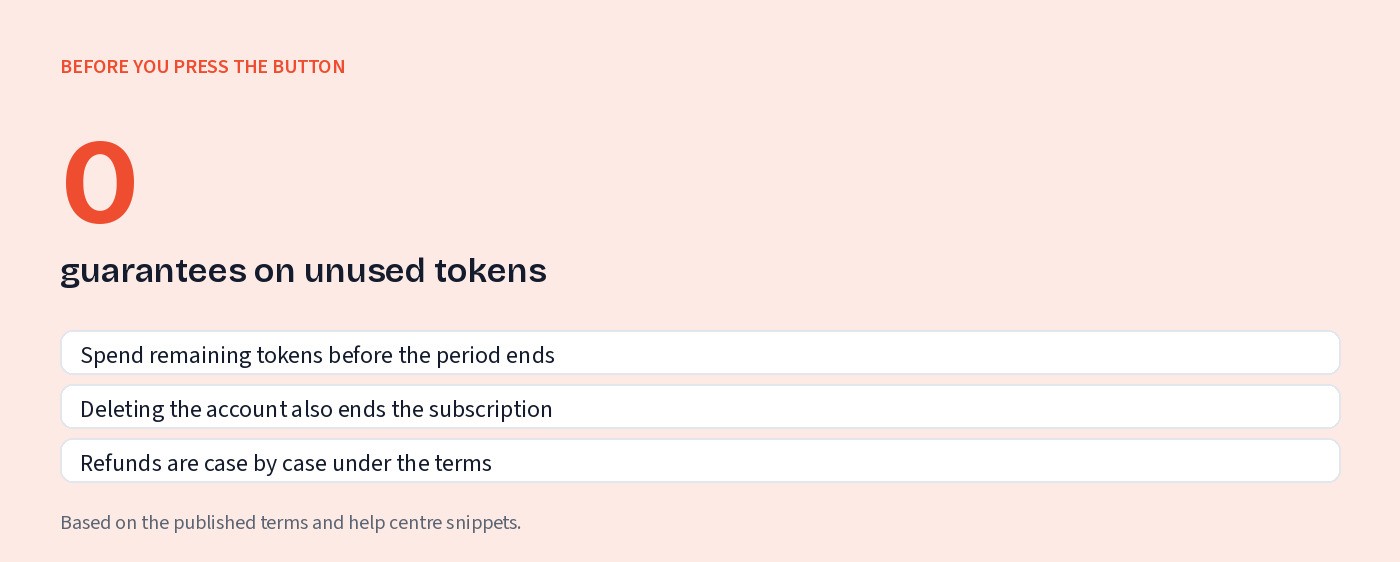
Spend your tokens. Tokens are tied to your account and there is no documented mechanism for converting them back to money. Use them first.
Note your renewal date. Cancelling stops the next charge; it does not refund the current period, and you keep access until it ends.
Save anything you want to keep. Character definitions and generated images will not survive account deletion.
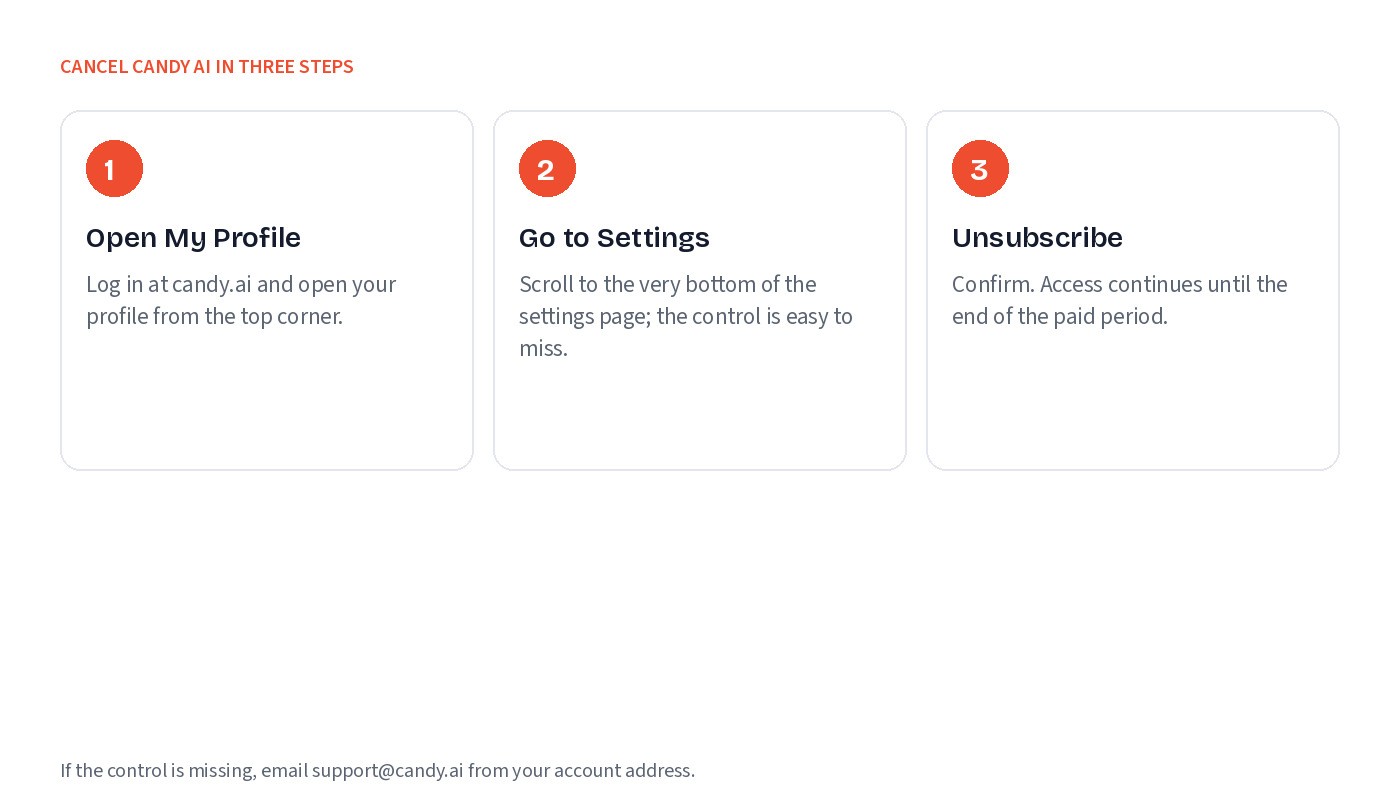
How to cancel your Candy AI subscription (web)
Log in to your account at candy.ai in a browser.
Open the My Profile menu.
Click Settings.
Scroll to the bottom of the settings page. Your current subscription details are listed there.
Click Unsubscribe and confirm.
Your plan will show as cancelled and will not renew. You retain Premium access until the end of the period you have already paid for. If the button is missing or the page errors, use the “Contact Support” option in your account or email support@candy.ai; Candy’s help centre lists that as the fallback route.
If you paid by crypto
Candy accepts Bitcoin, Ethereum, USDC and other coins. Crypto payments are not recurring in the way a card subscription is, so there is nothing to cancel with your wallet provider; the subscription simply lapses when the paid period ends. You should still cancel in the account so that no card on file is charged. FantasyGF also takes crypto, though its cancellation steps note that nobody has confirmed how those payments renew.
What happens to your tokens
Candy’s Premium subscription includes a monthly batch of tokens for images, voice and video, and you can buy more at any time. Once you cancel, the monthly allocation stops. Purchased tokens remain attached to the account for as long as it exists, but Candy does not, as far as we could establish from its help pages, document a guarantee that they survive indefinitely, and they are certainly gone if you delete the account. The practical rule is the one above: use them before you cancel, and definitely before you delete.
Refunds
Candy AI does not publish a proactive refund policy of the “cancel any time for a full refund” kind. Its help centre does contain an article on refund eligibility, and third-party summaries of it describe a narrow window shortly after payment with minimal token use, but we were unable to load the article directly to confirm the conditions. Our advice is therefore the boring one: check their terms and the help-centre article before you assume anything, and if you believe you qualify, request the refund through “Contact Support” promptly, since any window is short. If a charge appears after you cancelled and support does not resolve it, a dispute through your card issuer is the remaining option; Candy is operated by EverAI Limited in Malta, which is the merchant name to look for.
How to delete your Candy AI account
Deletion is separate from cancellation and is more final. Candy’s help centre notes that deleting an account before the renewal date automatically cancels any active subscription as well, so if you delete you do not also need to unsubscribe. The account deletion option is in the same Settings area as the subscription. Before you use it, understand that your characters, chat history, generated images and any remaining tokens are removed with the account, and that you will need a new sign-up if you return.
One more thing to check after deleting: log out and confirm you cannot log back in, and keep an eye on your card statement for the next billing cycle. If a charge does appear, Candy’s own help article on the subject exists precisely because it has happened to people, so contact support with the transaction details.
Why people leave
The two reasons that come up most are cost and repetition. Cost, because images, voice and video all draw on tokens bought on top of the subscription, and the real monthly figure ends up well above the advertised €13.99 (or the promotional annual rate of around €3.99 a month). Repetition, because the chat is widely described as recycling the same flirtatious lines and steering towards paid media. Neither is a scandal; they are simply the trade-offs of Candy’s model. Apps that fix one or more of those trade-offs are grouped in our list of Candy AI alternatives.
What to switch to
For video and pricing clarity: MyBabes
MyBabes uses the same subscription-plus-tokens structure but publishes what each action costs: four tokens per image (two on Ultra), video from 3 tokens a second on a published per-engine price list, so a five-second clip is about 15 to 30 tokens. Premium is €14.99 a month (€9.99 on a three-month plan) with 500 tokens, Ultra €34.99 (€23.33 quarterly) with 900, and packs run from €9.99. Video is generated on Wan 2.7, Wan 3.0 and Seedance 2.0 to 2.5 (eight engines in all), including an NSFW-tuned variant. There is a free tier without a card, so you can test it before your Candy period runs out. It is browser only and has no voice calls, so it is not a straight swap for someone who used Candy mainly on a phone or for calls.
For roleplay depth: OurDream AI
If you left because the chat was shallow, OurDream is the better conversationalist, with a DeepSeek-V3-based model and memory that holds across sessions, plus voice calls. It costs $19.99 a month or $119.88 a year, includes 1,000 DreamCoins a month for images and video, and has no free tier. Its video is the weak spot. The steps for cancelling OurDream AI are covered in a separate guide.
For free chat: SpicyChat
If you simply want to stop paying, SpicyChat keeps its core chat free, is built around community characters, and offers basic image support (free avatar generation, paid-tier conversation images). It is not a media platform, but it is a capable free chat one.
Quick checklist
Spend remaining tokens.
My Profile → Settings → bottom of page → Unsubscribe.
Confirm the plan shows as cancelled; note the end date.
Decide whether to delete the account (this also cancels).
Check the next card statement.
If moving, try the alternative’s free tier while your Candy access is still live.
Official site: mybabes.ai. Radar profiles: Candy AI · MyBabes · OurDream AI · SpicyChat.
Apps in this article

MyBabes
Multi-feature
8.3
The broadest creative toolkit in the category: eight named video engines with published per-second prices, two image model lines, a story studio, AI-refereed roleplay games and a creator paywall. Browser only, no voice calls, and the token maths take a minute.
Images
Video
Voice
Memory
From €9.99/mo (3-month plan)
Editor’s pick

Candy AI
Multi-feature
8.0
The most complete media stack in the category, chat, voice, images, 120-second Live Action video and Story Mode, but the subscription is only the entry fee. Tokens for anything visual push real spend well past the headline price.
Images
Video
Voice
Memory
From About €3.99/mo (annual promo); €13.99 monthly; tokens extra
Editor’s pick

OurDream AI
Multi-feature
7.8
A US-registered companion with a published coin price list, decent DeepSeek-based chat and a real free tier. Video is the weak link: short, expensive and often unreliable. Good value on the annual plan for chat and images.
Images
Video
Voice
Memory
From $19.99/mo or $119.88/yr ($9.99/mo) with 1,000 DreamCoins/mo

SpicyChat
Roleplay
6.6
An uncensored, community-driven roleplay platform with a genuinely usable free tier, transparent pricing and a strong model line-up. Short replies, small context on cheaper tiers, no iOS app and regional age checks are the trade-offs.
Images
Voice
Memory
From Free; Get A Taste $5.95/month or $60/year (from 8 September 2026)
More from Radar
AI companion apps and your privacy: what 55 apps do with your chats
44 of 55 apps store your chats, 13 may train on them, 34 do not say. The privacy terms of every app in the directory, in one table.
Kindroid pricing: plans, add-ons, credits and what a month costs
Kindroid costs $13.99 a month on the web, $15.99 in the apps, $98.97 with both add-ons. Every price, three worked monthly bills, the post-October trial, cancel steps and refund wording.
SpicyChat vs MyBabes: roleplay chat or generation studio?
SpicyChat wins on text roleplay, named chat models, free chat and its $5.95 entry price. MyBabes wins on images, video, stories and creator income. They suit different users.
How to cancel Kupid AI: weekly billing, refunds and deletion
Cancel Kupid AI in your account on kupid.ai or by emailing hello@kupid.ai. Weekly plans renew every seven days, sales are final under the terms, and plan Coins expire after six months.
What images and video really cost on 55 AI companion apps
Ten different in-app currencies, most rates unpublished. The lowest plan, the unit, and the price of an image and a clip on every app in the directory.
CCBill charge on your card: what it is and which AI app billed you
A CCBill charge means a site that uses CCBill billed you. Look it up on support.ccbill.com, cancel there, ask for a refund, and see which AI apps name their processor.
Dondi AI pricing: Premium, token packs and the 24-hour refund rule
Dondi AI Premium is $14.99 a month ($5.99 on the yearly plan) with 200 tokens; images from 5 tokens, clips 50. Refunds only within 24 hours despite a 7-day promise. Worked bills and fine print.
Gay AI boyfriend apps: which ones have a real male-for-male catalogue
Janitor AI, SpicyChat and Chub AI have real gay-tagged catalogues; MyBabes has a dedicated “Create him, gay” builder; OurDream AI asks your orientation; Kindroid lets you build him.
Is Eva AI safe and worth it? Privacy, prices and the catch
Eva AI is run by Novi Limited in Cyprus and collects your messages to develop its AI with no opt-out; prices run $11.99 to $15.99 a month plus unpriced Neurons, and store purchases are final.